Create and share a gift list
Four clear steps take you from choosing the occasion to sending one guest link.
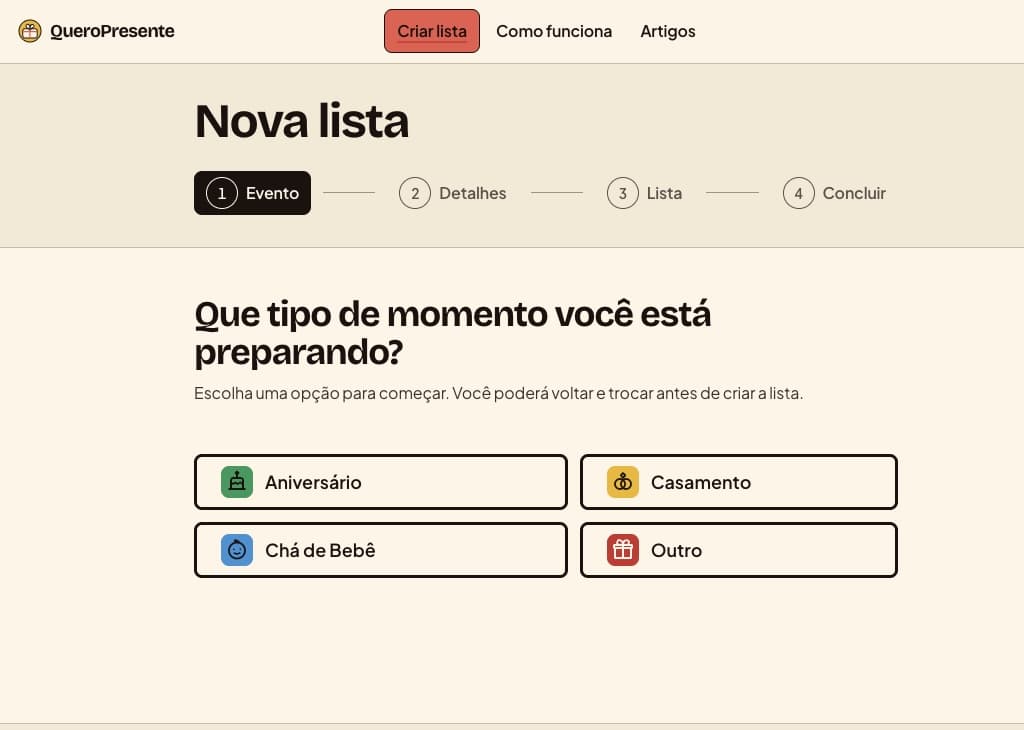
Choose the moment
Start a new list and choose the occasion that best fits: birthday, wedding, baby shower, or another celebration.
In the app: choose an occasion to shape the list.
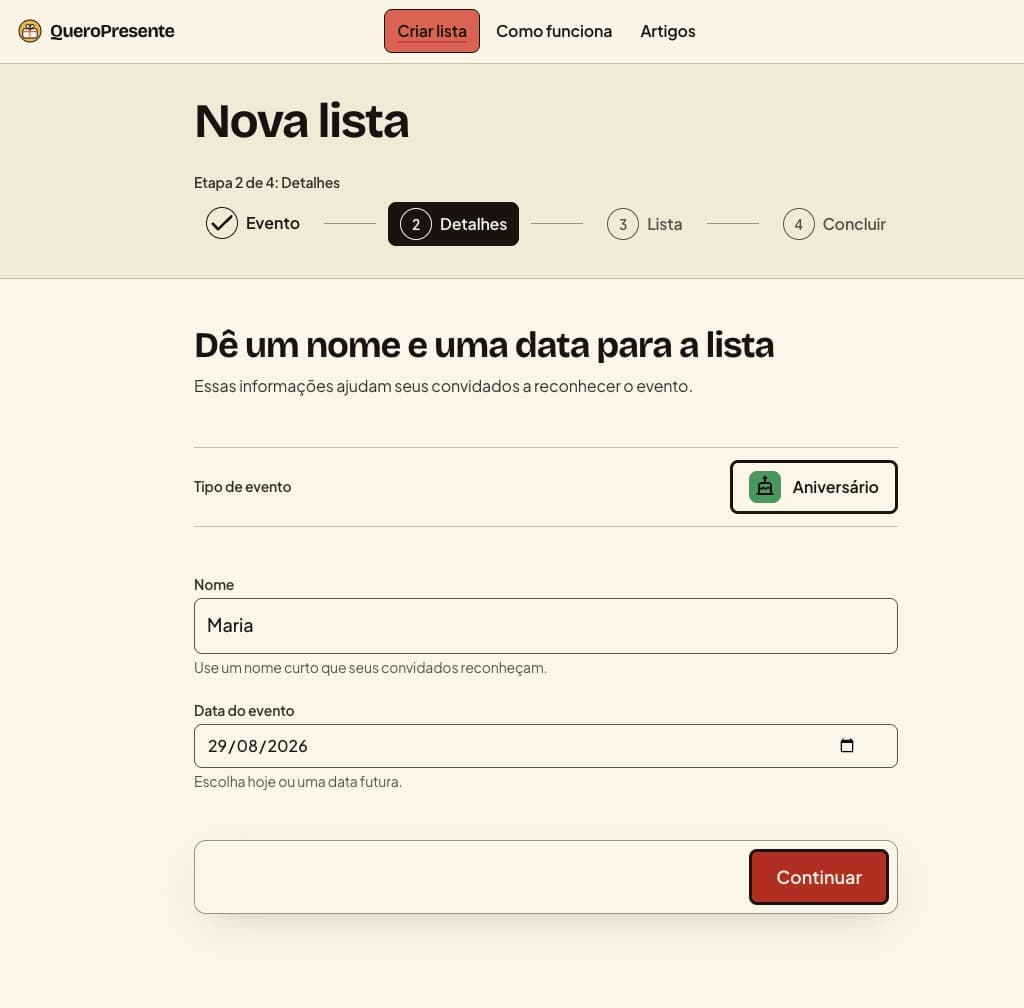
Name it and set the date
Give the list a name guests will recognize and add the celebration date so everyone has the same context.
In the app: add a name and date, then continue.
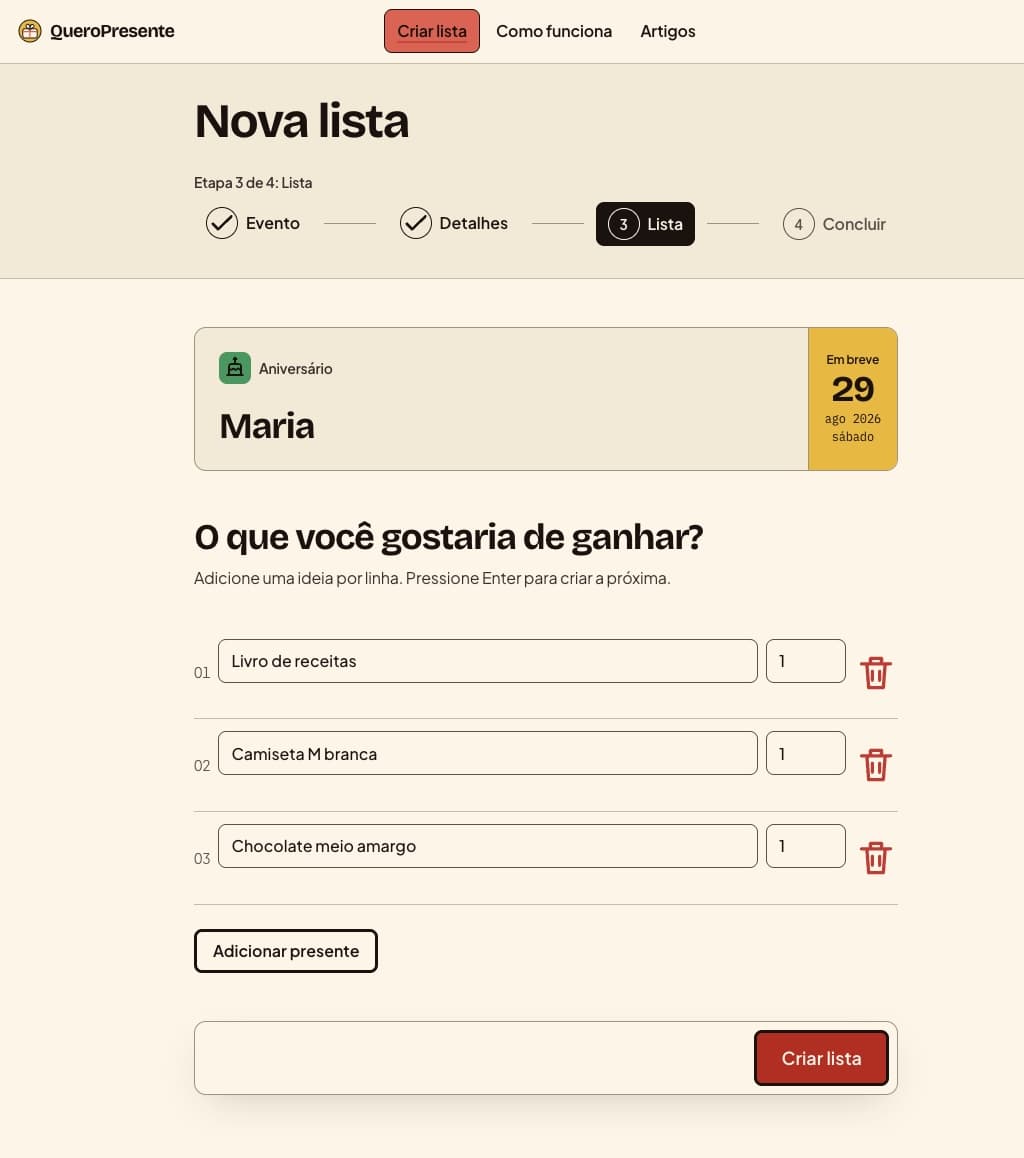
Add useful gift ideas
Write each idea clearly enough for a guest to recognize it. You can keep adding items before you create the list.
In the app: type a gift, add it, and repeat.
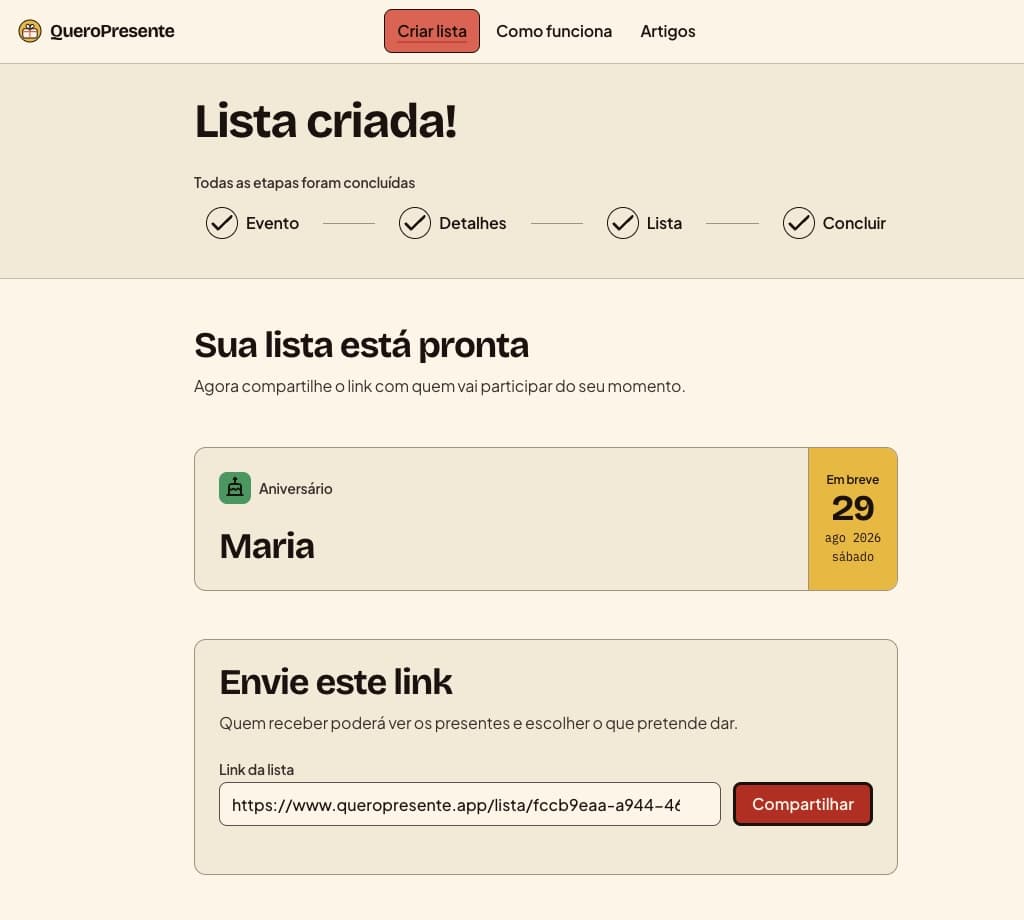
Create, copy, and share
Create the list, copy its guest link, and send it wherever your group already talks. Guests can reserve available gifts.
In the app: copy the guest link and send it.
Ready to make yours?
Start with the occasion. You can add the details as you go.